Magicbit
  • Home
  • Learn
  • Shop
Search
  • Home
  • Learn
  • Shop
Search
Login
Shop

Downloads

Download software and tools here
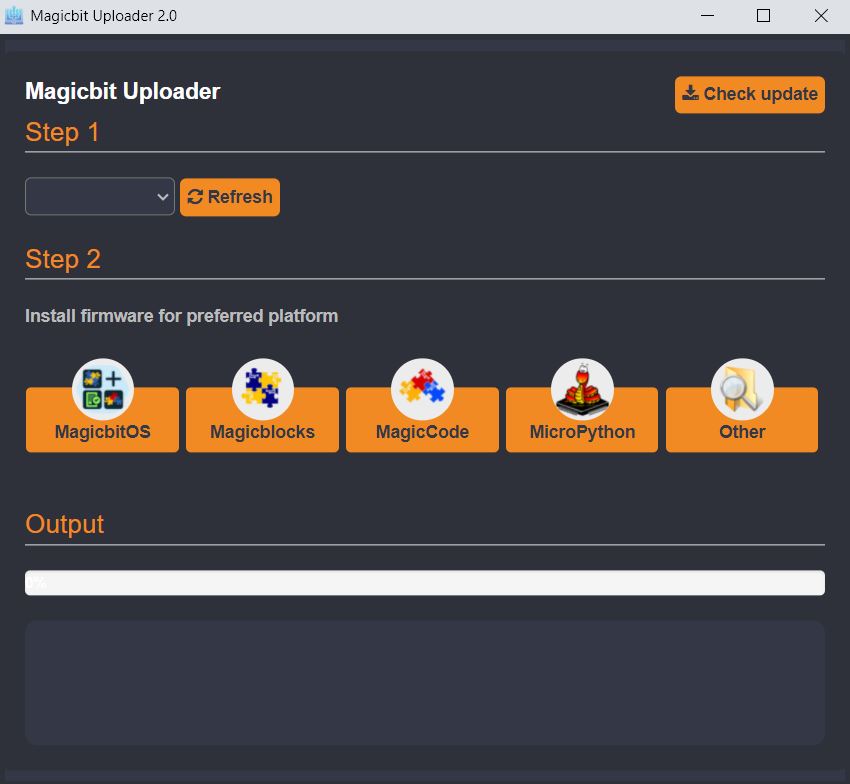
Image link

Magicbit Uploader

If your Magicbit already has MagicbitOS installed, you can skip this step. Magicbit is shipped with OS installed.

Magicbit Uploader provides USB drivers and firmware to work with MagicbitOS, magicblocks.io, magicCode and microPython. We offer both online web version and downloadable versions.

Launch
Image link

MagicCode

MagicCode is a Scartch 3.0 based software to learn coding for kids with visual programming interface. Magicbit can be connected to MagicCode via USB or WiFi. You can use MagicbitOS to connect via WiFi. To connect via USB update Magicbit firmware through Magicbit Uploader.

DownloadLaunch
Image link

Arduino IDE

Download latest Arduino IDE from official website.

DownloadGetting Started
Image link

Micropython

Thony IDE is used for program magicbit using microPython

DownloadGetting Started
Image link

.NET nanoFramework

C# based language with possibility to debug and use free Visual Studio tools. Visit official website for more information. 
DownloadGetting Started
Image link

Starter Guide

Download starter guide from here.

EnglishJapanese
Subscribe to Newsletter

Get latest updates and offers directly to your inbox.

    Image link

    166/6, Dehiwala Road, Boralesgamuwa, Sri Lanka
    +94764641100, +94718431962
    [email protected]

    Company
    About
    Contact
    Our Team
    Careers
    For Students
    Getting Started
    Project
    Downloads
    Blog
    Competitions
    Project Hub
    Products
    Magicbit Core
    Magicbit Pro
    Magicbot
    Magickey
    Programming
    Arduino
    Scratch
    Python
    Magicblocks
    For Institutes
    Partners
    Innovation Lab
    Join with us
    Close
    Search

    Hit enter to search or ESC to close